Showing posts with label C#. Show all posts

Monday, April 11, 2011

Randomization In Games - Managing Player Expectations

Block Village

Generating random numbers for use in games is easy. In C#, it is as simple as creating an instance of the Random class and calling Next() on it. Want to decide if an event should occur given a particular probability? Easy, just call Random.Next() and check if the result is less that your probability (expressed as a value from 0 to 1).

The results of this simple approach, however, do not always do a good job of creating behavior that corresponds to a player's expectations. This is because the results are truly random (ok, psuedorandom - but that's generally random enough) and events are independent. By independent, I mean that the result of a probability check does not depend in any interesting way on previous checks. Like flipping a coin, it doesn't matter if you have gotten 9 heads in a row - the probability of getting heads on the next flip is still exactly 50%.

People, however, have a tendency to assume that past result *do* influence future ones. In the case of flipping a coin, this assumption is irrational. In other cases, though, it isn't so much. A key example of this is selecting items randomly from a collection. If you replace items between choosing, then each selection is random and independent of the others. If, however, you do not replace items that you have chosen, this is no longer the case.

The notion of selecting items from a collection without replacement is a very useful one in games, and can result in random behavior that is much more in line with player expectations than independent probability checks.

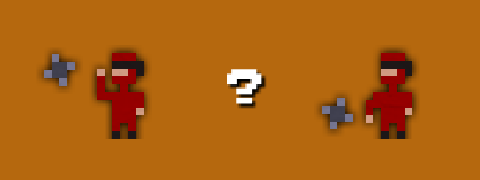
In working on Kung Fu FIGHT!, I ran into this problem a lot. For example, when an enemy throws a shuriken, I have to decide if they should throw high or low. I started with a simple 50% probability check, but this sometimes resulted in a long string of high or low throws in a row. Perfectly reasonable from a probability perspective, but not what I wanted. On the other hand, simply alternating between high and low seemed too regular.

What to do?

I created a simple helper class to allow me to select random values from a finite "bucket". Here is how it works for my shuriken throwing behavior. To initialize the bucket:

Random random = new Random();

RandomBucket<bool> throwBucket = new RandomBucket<bool>(random).Add(true, 2).Add(false, 2);

What this does is initialize a bucket and fill it with two 'trues' and two 'falses'.

Then, to decide to throw high or low, simply do:

if (throwBucket.Choose())
{
  // throw high
}
else
{
  // throw low
}

Each time we call Choose(), a random value is selected from the bucket and take out of the list of available values. When we run out of values, the bucket is refilled with its original contents.

The result of this is random behavior with local dependencies. Each time I select a value, the probability that I get that value again next time goes down. You can't get more than four trues or falses in a row - and even that is fairly unlikely. If we only put 1 true and one false in the bucket instead of two of each, the behavior becomes even more locally dependent. Adding more values in makes things more random.

In addition to having nice properties for game randomness, the RandomBucket class also make for simple, clean code. For example, when I shoot out spark particles for bombs, I use a color bucket to choose what color a spark is:

RandomBucket<Color> colors =
  new RandomBucket<Color>(random).Add(Color.Yellow, 1).Add(Color.Orange, 1).Add(Color.Red, 1);

Color sparkColor = colors.Choose();

Here I am spitting out the colors in equal volumes, but I could easily change the ratios by altering the numbers when seeding the bucket.

Here is the RandomBucket class. As you can see, it is pretty simple. It doesn't generate garbage (an important quality for Xbox development) and it is quite efficient for reasonably small numbers of values, which should be the case since if you use a large number of values you might as well just use true randomness.

using System;
using System.Collections.Generic;

namespace MyCoolNamespace
{
    public class RandomBucket<T>
    {
        List<T> chooseList = new List<T>();
        List<T> discardList = new List<T>();
        Random random;

        public RandomBucket(Random random)
        {
            this.random = random;
        }

        public RandomBucket<T> Add(T value, int number)
        {
            for (int i = 0; i < number; i++)
            {
                chooseList.Add(value);
            }

            return this;
        }

        public T Choose()
        {
            if (chooseList.Count == 0)
            {
                List<T> tmp = chooseList;
                chooseList = discardList;
                discardList = tmp;
            }

            int pos = random.Next(chooseList.Count);

            T obj = chooseList[pos];

            chooseList.RemoveAt(pos);

            discardList.Add(obj);

            return obj;
        }

        public void Clear()
        {
            chooseList.Clear();
            discardList.Clear();
        }
    }
}

Wednesday, February 23, 2011

Disabling Aero From Within a .NET Application Using DwmEnableComposition

First off, why would you want to disable the Aero theme? Well, it turns out that it messes with vsync and can screw up the framerate of some applications. DirectX apps seem to be ok, but, in my experience at least, it really messes with OpenGL.

To disable it from within a .NET application you need to DllImport dwmapi.dll. To do this you need to reference System.Runtime.InteropServices:

using System.Runtime.InteropServices;

Within one of your classes - usually where you have the application entry point - you need the following:

[DllImport("dwmapi.dll", PreserveSig = true)]
public static extern int DwmEnableComposition(bool enable);

To invoke the method, simply do this:

DwmEnableComposition(false);

Sunday, November 28, 2010

Battling Bats in a Graveyard

Battling Bats

The bats fly off the ground, so you have to jump and shoot to hit them.

I really need to add shadows - without them it is difficult to see the location of objects in the air.

Thursday, October 28, 2010

C# random number generator starts returning only zero

Yesterday my game AI started going haywire on me. At a random point, all of my creatures would start moving in a single direction.

Turns out the cause was Random.NextDouble starting to return only zero. And it turns out the cause of that was multiple threads accessing the same instance of the Random class.

As I would have expected had I thought about it, Random is not thread safe. If it gets accessed from one thread while it is in the middle of an operation for another, its internal state gets mucked up and it just spits back zeros from then on.

The solution is to use one instance of Random per thread (which is what I did) or to ensure synchronized access.

Thursday, October 7, 2010

Block Model Editor

Terrain Rendering

I hate making editors. Creating an editor for a feature always takes ten times the amount of time that it took to add the actual feature itself. And it is much less rewarding code to write.

I need an intern...

Anyway, I've got a half-assed editor for the block models that I will be scattering throughout my block world. I used my mad 3D art skills to draw a tree. So there!

Monday, October 4, 2010

Block Models

Terrain Rendering

I am currently working on adding more details to my Block World environment. This will be done mostly through the use of what I am calling "Block Models" - meshes generated from a 3D cubic grid of "trixels".

I started with 16x16x16 grid and did a test to see how many I could render. Quite a few, it turns out.

Monday, September 27, 2010

Another Block World Island

Terrain Rendering

Here's a shot of another island in Block World.

Thursday, September 23, 2010

Block World


Here is a little video to show the current state of my "Block World".

I've implemented a physics model and added some basic terrain editing. The next step will be to increase the diversity of the landscape - adding angled ramps (but still keeping things blocky) and some decorations (bushes, trees, etc.)

Thursday, February 25, 2010

Platform Game - More WIP

Platform Game

A little more progress on my platform game. I've now got background tiles, grass and little wee flowers.

The blurring effect in the background is done in real-time on the GPU. Yay for gratuitous use of shaders!

Wednesday, February 24, 2010

Going old-school


While I've still got work to do on Tunescape, it is starting to wrap up so I needed something else to keep me busy. I've started to work on a new project - a kind of platform/exploration/adventure game of sorts. So far, I've been working on getting the basic platforming elements to feel right.

If you squint, you might recognize my placeholder player character...

Friday, February 12, 2010

Tunescape Update

Tunescape

I've managed to avoid my standard behavior and have been pushing to try to actually finish (!!) Tunescape. It is in pretty good shape right now, and I've currently got it in playtest over on Xbox Live Indie Games.

In polishing the game, I've been doing some fun shader work. I implemented a particle system shader for my new explosion effects, and I created a "plasma" shader for the background that uses multi-resolution noise to generate a smoothly moving cloud pattern.

Tunescape

Friday, December 11, 2009

Lots of Fishes...

Lots of Fishes

Just some stuff I'm messing around with...

Friday, November 6, 2009

Music-based Gameplay

Music-based Gameplay

My latest project is a game that uses music as the gameplay content. I use spectrum information to detect energy pulses in the music and use peaks to trigger emission of particles. The object of the game is pretty simple - collect the particles while avoiding the red boulder-thingies. Grabbing stars increases a score multiplier.

Music-based Gameplay

Collecting the particles, in addition to increasing your score, fuels three kinds of colored energy - shown by the three lines inside your circle. This energy can be expended to use a shield, give you a speed burst, or temporarily suck particles toward you.

There are also cooperative and competitive multiplayer gameplay modes. This is a mode where players are "bungied" together:

Music-based Gameplay

Here is a gameplay video:

Wednesday, August 19, 2009

SubMariner


I really should be working on Saucer Pilots, but as I've said before, I'm much better at starting projects than finishing them...

Thursday, August 13, 2009

XNA Force Feedback Helper Class

This is a little helper class I whipped up to manage force feedback vibrations in XNA. The XNA libraries themselves just have a method you call to set the instantaneous left/right vibration force. In games, however, you generally want the feedback to last over a period of time, and you may have more than one force feedback event happening at the same time.

This code provides a "fire-and-forget" interface for triggering vibrations. Add a call to update the ForceFeedbackManager in your game's update code. Call AddVibration whenever you want to trigger force feedback.

Note: this code is not threadsafe - you must be triggering feedback from the same thread you call Update from.


public class Vibration
{
float leftMotor;
float rightMotor;
float msLeft;

public float LeftMotor
{
get { return leftMotor; }
set { leftMotor = value; }
}

public float RightMotor
{
get { return rightMotor; }
set { rightMotor = value; }
}

public float MSLeft
{
get { return msLeft; }
set { msLeft = value; }
}

public Vibration(float leftMotor, float rightMotor, float durationMS)
{
this.leftMotor = leftMotor;
this.rightMotor = rightMotor;
this.msLeft = durationMS;
}
}

public class ForceFeedbackManager
{
private PlayerIndex playerIndex;
List<Vibration> vibrations = new List<Vibration>();

public ForceFeedbackManager(PlayerIndex playerIndex)
{
this.playerIndex = playerIndex;
}

public void AddVibration(float leftMotor, float rightMotor, float durationMS)
{
vibrations.Add(new Vibration(leftMotor, rightMotor, durationMS));
}

public void Update(float msElapsed)
{
List<Vibration> toDelete = new List<Vibration>();

foreach (Vibration vibration in vibrations)
{
vibration.MSLeft -= msElapsed;

if (vibration.MSLeft < 0.0f)
{
toDelete.Add(vibration);
}
}

foreach (Vibration vibration in toDelete)
{
vibrations.Remove(vibration);
}

float leftMotor;
float rightMotor;

GetVibration(out leftMotor, out rightMotor);

GamePad.SetVibration(playerIndex, leftMotor, rightMotor);
}

public void GetVibration(out float leftMotor, out float rightMotor)
{
leftMotor = 0.0f;
rightMotor = 0.0f;

foreach (Vibration vibration in vibrations)
{
leftMotor = Math.Max(leftMotor, vibration.LeftMotor);
rightMotor = Math.Max(rightMotor, vibration.RightMotor);
}
}
}

Thursday, August 6, 2009

Saucer Pilots - XNA Dream Build Play 2009


Whew! I just squeaked an entry in under tonight's deadline for the 2009 XNA Dream Build Play competition.

Last Monday, I was messing around with a new "flying saucer" game prototype idea. It seemed like it had promise, so I kicked into high gear to try to get something submittable for the competition. I initially got the submission date wrong, and thought I had until this Sunday. A few days ago, I realized my error and really had to step things up.

The competition was a good impetus to get me to actually finish something. I'm generally much more fond of starting things than completing them...

Anyway, the game is "Saucer Pilots" - a 1-4 player saucer flying game with five different gameplay modes. Xbox LIVE avatars are used for saucer pilot models (avatars do not appear in this video, as they are not visible on the PC). The physics implementation I'm using is Farseer.

Overall, I think it turned out pretty well for a week-and-a-half effort. The only thing that made that timeline possible was the framework on top of XNA that I've developed over the past year. And help from Sherry.

Oh, and did I mention that it has fishing?

Wednesday, March 4, 2009

Gravity Game

Gravity Game

My latest hobby project is a gravity-based game in the tradition of old classics like Lunar Lander, Gravitar and Thrust. Currently, the mechanics are pretty simple. Shoot things, avoid being shot, crashing, or being hit by an asteroid, and use your tractor beam to move around colored balls that act as keys to remove barriers.

I've also been playing with water dynamics.

Gravity Game

The game is XNA-based, and I'm using Farseer as my physics engine.

Monday, January 19, 2009

More FM Synth Progress


Ok, my "little" FM synthesizer project is now officially a bit out of control. It has grown to include a drum pattern editor, chord progressions and a mini song sequencer. WPF, with its clean separation between the UI and the underlying code is perfect for doing audio interface work. Too bad the digital audio world is still mired in C++...

Friday, December 5, 2008

FM Synth W.I.P.


My little FM synth is coming along nicely. C# codebase with a WPF UI.

The shot above is the main editor page. I'm currently using four oscillators which can either be output directly, or used to modulate each other. Fun stuff.

Thursday, October 23, 2008

More Automatic City Generation


I'm still playing with my city generator. I now segment the city into districts of different types, resulting in a more diversity. I also have traffic moving around, path-following through the streets and obeying traffic lights. Fun stuff.

For car dynamics, I'm using the Farseer physics engine - a fully managed codebase that is really easy to integrate with XNA.